Data Citation and Reproducibility on WRDS
This content was based on a contribution by Matthew Pierson at the Wharton Research Data Services (WRDS), and adapted for our purposes. All errors are mine.
Citing WRDS data
Researchers can cite the individual dataset or query used to access data via a unique and extensible URL. Each section of the URL represents a further step in the chain of access.
Example Citation:
Standard and Poors. (year). “Compustat North American Fundamentals Annual Data”. Provided by Wharton Research Data Services (WRDS).
Available at: https://wrds-www.wharton.upenn.edu/pages/get-data/compustat-capital-iq-standard-poors/compustat/north-america-daily/fundamentals-annual/, last accessed on (date).
Documenting Web Queries
Researchers can demonstrate exactly what variables were accessed, row counts, and date ranges using the following methods:
Output Pages and Logs
Every web query generates a unique output page upon submission.
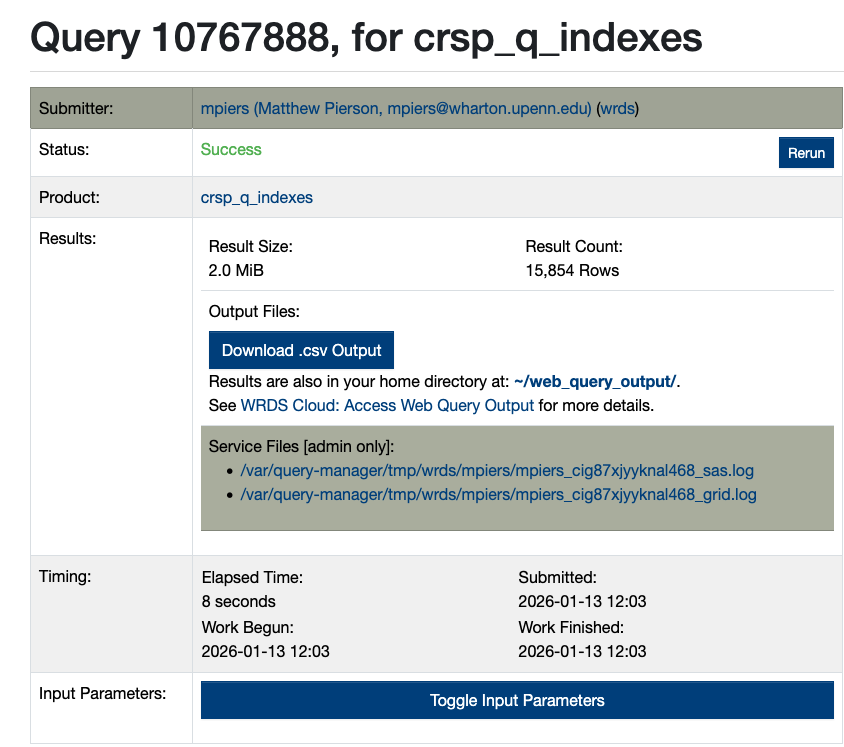
- Toggle Input Parameters: Clicking this displays the exact input parameters of the query.
- Log Files:
_sas.log(or_sql.log): Displays the code that generated the query._grid.log: Demonstrates the server-side log file of the job.
- Tracking: These logs trace the exact output file name, allowing them to be matched against the import function of a researcher’s code.
- Retention: Log files are only kept for 2 days. Users should save these with their output to submit as part of their Data and Code package.
Sharing via Saved Queries
While the Rerun button is currently for individual use and cannot be shared, researchers can share query parameters using the Saved Queries feature.
Step 1: Save the Query
After opting in and running a query, you can view your saved history on the data page.
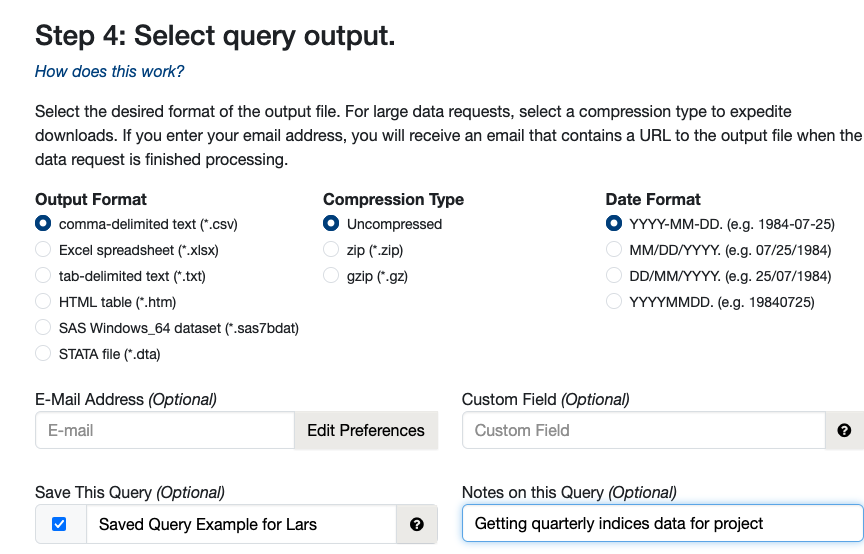
Step 2: Edit for Public Access
By clicking Edit, you can set the query access to “Everyone”.
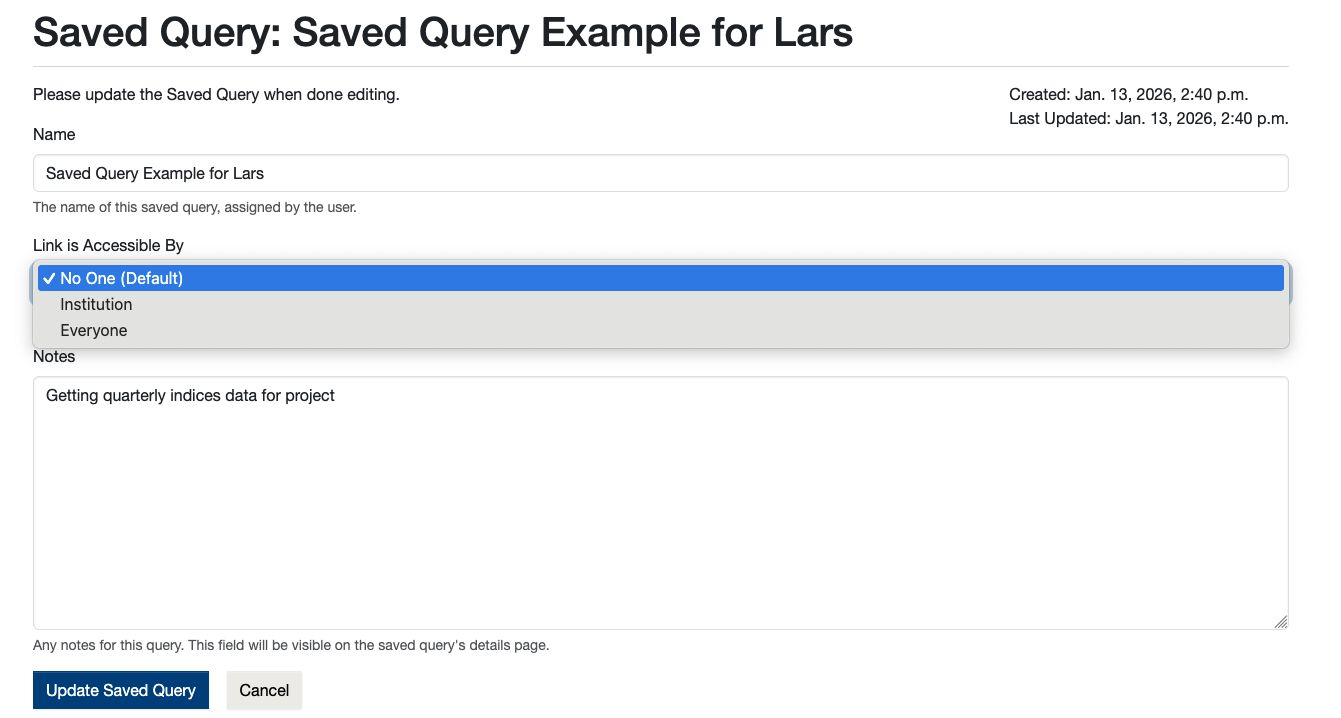
Step 3: Share the Link
This generates a link that allows any authenticated WRDS user to rerun the query with the exact same settings, date ranges, and variables.
Example Shared Link: https://wrds-www.wharton.upenn.edu/pages/get-data/center-research-security-prices-crsp/quarterly-update/index-version-2/daily-index-and-portfolios-on-sp-500/?saved_query=6824671
Programmatic and Server Access
For access via server or other non-GUI methods, researchers should submit their log files as part of their replication packages.
- Library & Dataset Identification: Logs provide indications of the library and dataset accessed (e.g., CRSP Daily Securities data is identified as
crsp.dsf). - Data Dictionary: Individual dataset names can be translated using the WRDS Data Dictionary.
- Verification: Log files indicate variables used and the date accessed by the nature of most statistical programs.